Custom grant-management systems, application to closeout
The custom grant-management system OlenArc builds and operates per program — the deployed ASCF implementation is the evidence, not a licensed product: applicants apply and sign on any device, staff run one review queue instead of spreadsheets and email, and leadership always knows where the budget stands. A custom implementation has been in production in Alaska since 2026.
The lifecycle it carries
Every stage below runs in the same system, so the record builds itself as the work happens.
-
1 · Apply
Mobile-first applicant portal with save-and-resume, document upload, and status visibility — plus an in-portal assistant for eligibility and document questions, with a route to a human on every answer.
-
2 · Review & award
One staff queue from Received through Board Review to Awarded. Award letters generate from the grant record; agreements are signed electronically (DocuSign) and the signed document returns to the file.
-
3 · Monitor
Guided post-award sequence — acknowledgment, agreement, tax and banking documents — plus repeatable, versioned document requests with correspondence records. Staff can file documents on an applicant’s behalf.
-
4 · Report & close
Grantees file progress and final reports straight into the grant record. Leadership sees budgeted vs. awarded vs. remaining by program area, and core records export in open formats — the client owns its data.
The working screens
Captured from the demonstration configuration — fictional sample data throughout.
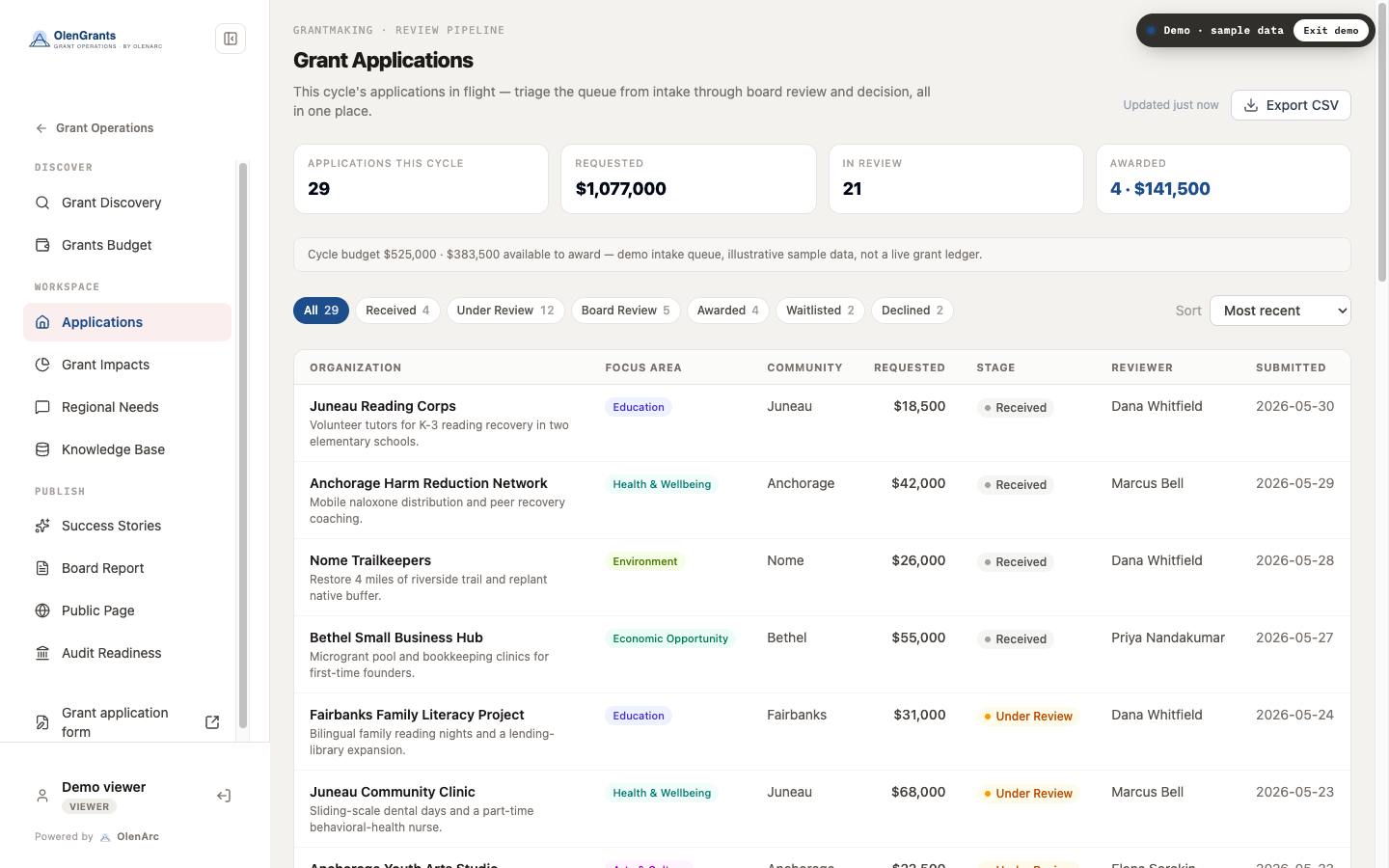
All organizations, communities, reviewers, and dollar amounts are fictional sample data — not client records.
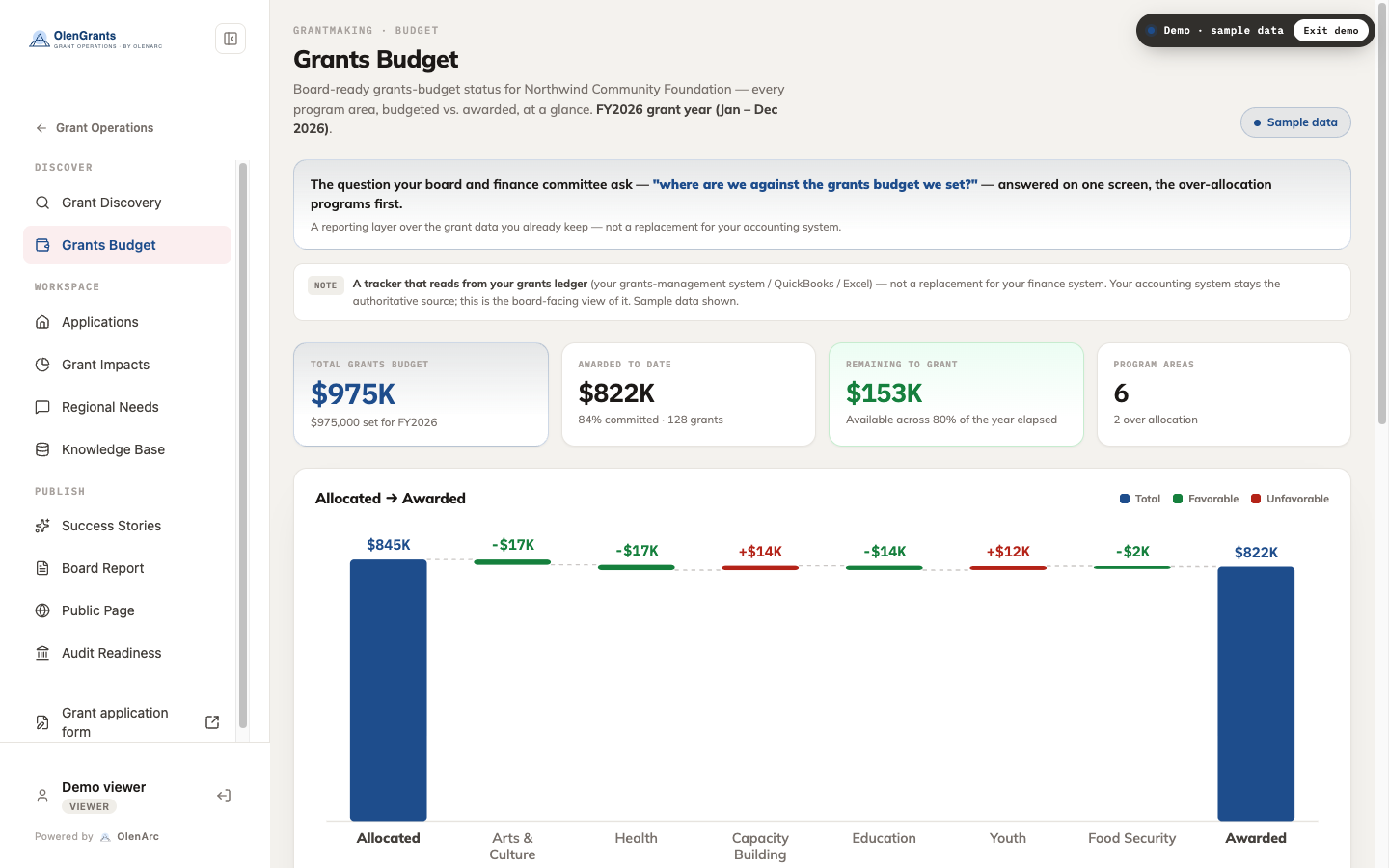
A reporting layer over the grant records — your accounting system stays authoritative. Fictional sample data shown.
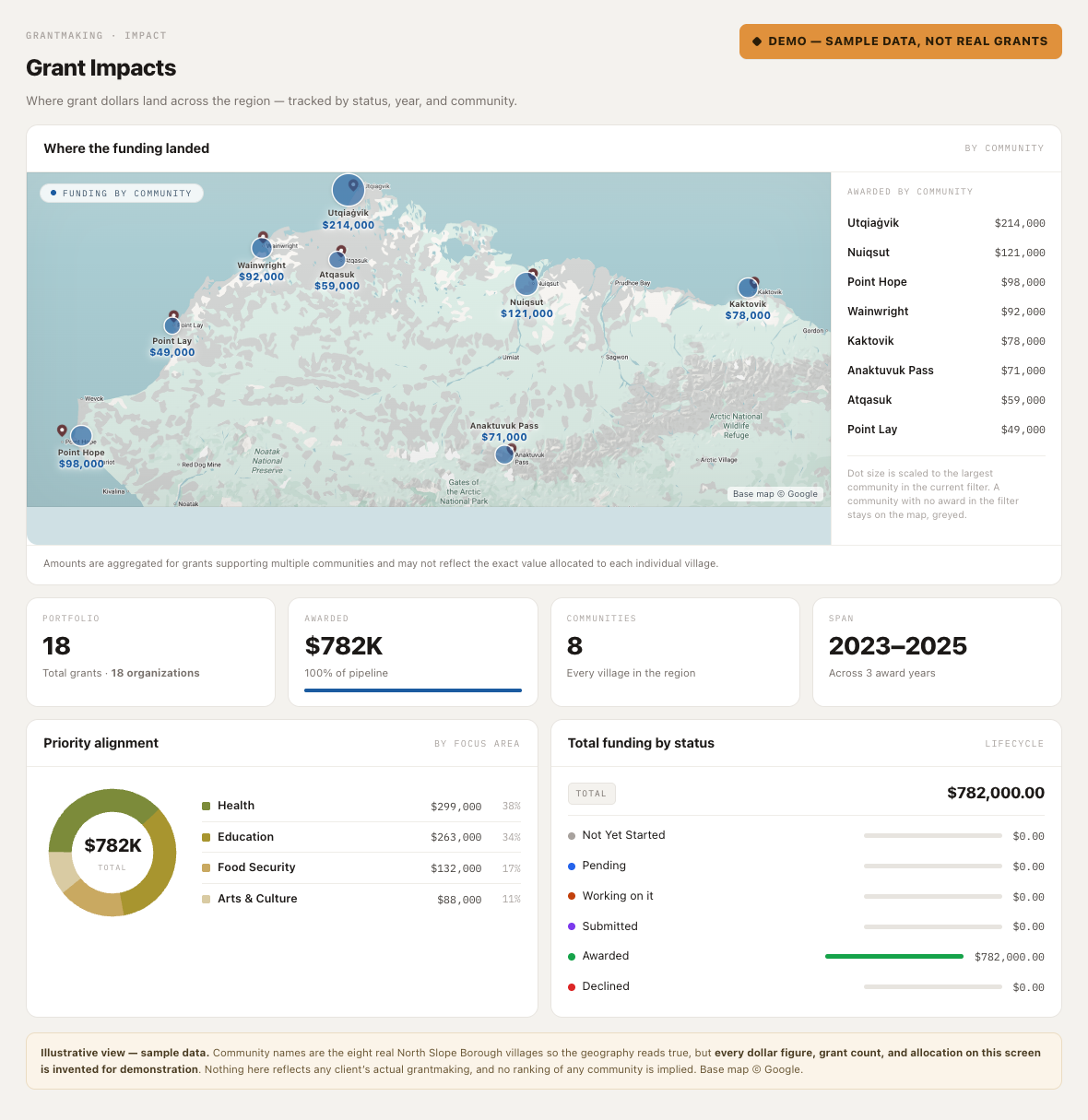
The screen that answers whether a program is actually reaching the communities it is meant to reach — during the cycle, not in a year-end report. Fictional sample data shown.
Why small programs pick it over national platforms
- Built and operated, not licensed — OlenArc runs the platform with your program. Rule changes are configuration, not a support ticket to a national vendor.
- Priced to the program, not per seat — pricing, hosting, and operations are confirmed in the SOW; the design assumes broad staff and community participation.
- Designed for hard geography — mobile-first and low-bandwidth by default, with phone-assisted routes and staff able to file documents on an applicant’s behalf. Built serving communities off the road system.
- The record builds itself — who reviewed what, what was requested, what was received: captured as work happens, so evidence is collected as work happens, reducing year-end reconstruction.
- You can leave — core grant records and reporting datasets export in open formats. Changing administrators never costs the program its history.
Deployed proof
Arctic Slope Community Foundation
Full-lifecycle grant platform in production since July 2026, serving applicant organizations across all 8 North Slope Iñupiat villages — replacing a national commercial grants product. Applicant portal, staff review, e-signature awards, post-award monitoring, grantee reporting, and budget tracking in one system.
Running a grant program on spreadsheets and email?
Tell us about your program — cycle count, award volume, and where it hurts. We’ll show you the working platform on fictional data and come back with a scoped proposal.